

Connect a custom domain
Every site has a free cloudzyro.app address, and you can add your own domain too, free on every plan. Your cloudzyro.app address keeps working alongside it. Only the workspace’s owners and admins can add or change domains.
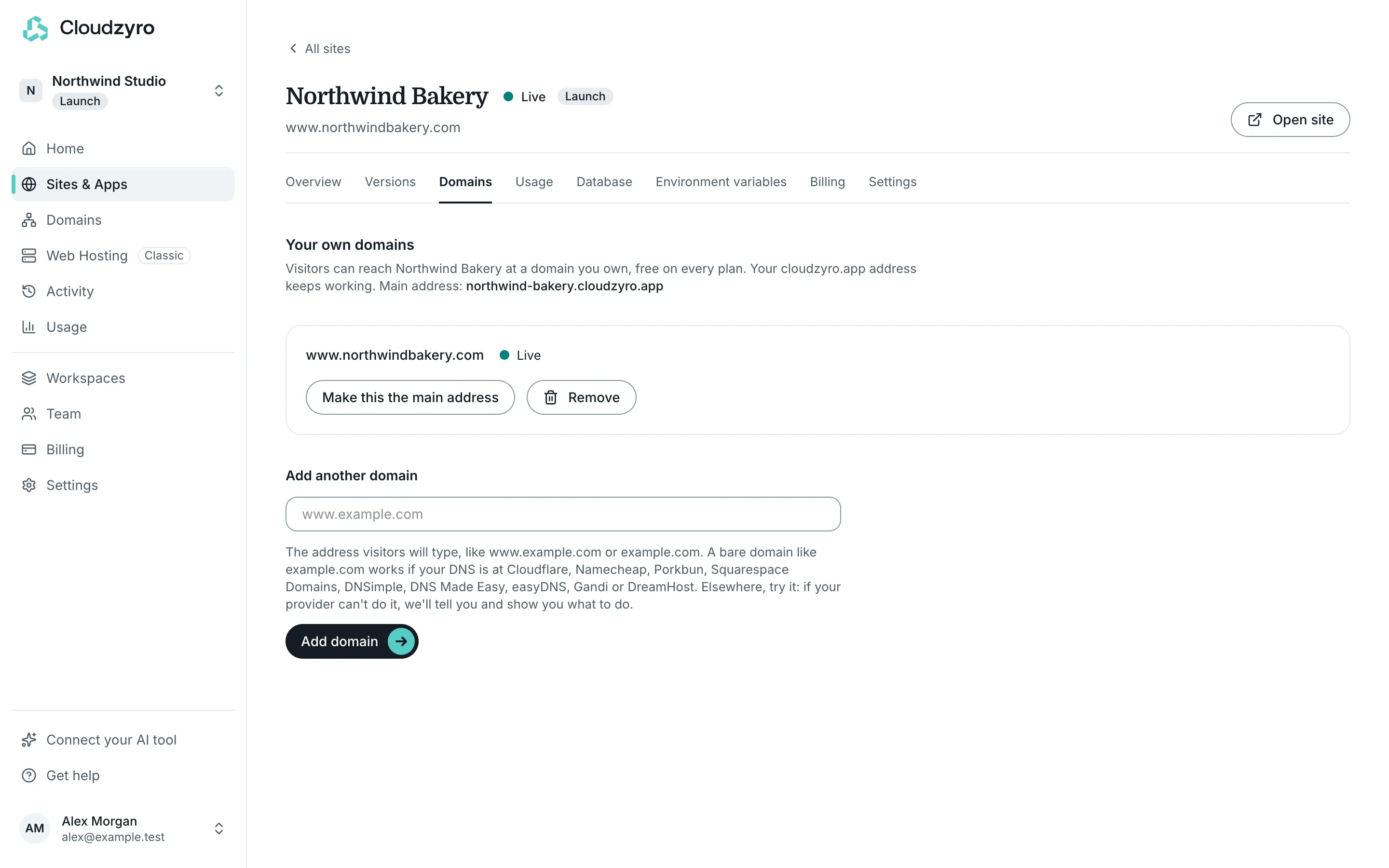
Add a domain
Section titled “Add a domain”-
In the console, open Sites & Apps, choose your site and open its Domains tab.
-
Under Add a domain, type the address visitors will use, such as
www.example.com, and click Add domain. -
The domain shows Waiting for DNS with the record to add. At your DNS provider (often where you bought the domain), add:
Type Name Target CNAME www(or your subdomain)domains.cloudzyro.appSome providers want the full name, such as
www.example.com, instead ofwww. When we can tell who runs your DNS, we link to their instructions. -
Wait. It usually works in 5 to 15 minutes, though DNS changes can take a few hours with some providers. The page checks by itself, or click Check again.
-
The domain moves to Getting the certificate, then Live.
If something’s wrong, the domain card says what we found and what to change. We also email you when a domain goes live or stops working.
Certificates
Section titled “Certificates”We get an HTTPS certificate for your domain automatically and renew it for you. There’s nothing to buy or install.
If your domain has CAA records, they must allow letsencrypt.org, pki.goog and ssl.com, or we can’t get a certificate. Add CAA records for them, or remove the CAA record.
www and the bare domain
Section titled “www and the bare domain”The bare domain is the name without www, such as example.com. There are two ways to make it work.
Forward the bare domain to www
Section titled “Forward the bare domain to www”Add www.example.com to your site as above. Then, at your DNS provider, add an A record for the bare domain:
| Type | Name | Value |
|---|---|---|
| A | @ |
173.234.137.167 |
Visitors who type example.com are then sent to https://www.example.com over HTTPS, keeping the rest of the address. This works with any DNS provider.
Use the bare domain itself
Section titled “Use the bare domain itself”You can also add example.com to the site directly. That needs a CNAME, ALIAS, ANAME or flattened record on the bare domain, pointing to domains.cloudzyro.app. This works if your DNS is at Cloudflare, Namecheap, Porkbun, Squarespace Domains, DNSimple, DNS Made Easy, easyDNS, Gandi or DreamHost.
Elsewhere, try it. If your provider can’t point a bare domain at another service, the domain card tells you, with two ways forward: use www.example.com instead, or move your DNS to a provider that can, such as Cloudflare, which is free. Our guide How to move your DNS to Cloudflare walks you through it.
Moving a site that’s already live
Section titled “Moving a site that’s already live”If your domain already points to a live site somewhere else, open Moving a site that’s already live at this domain? on the domain card. Add the TXT records it shows first, wait until the card says Getting the certificate, then change the CNAME. Visitors won’t see a gap.
Choose the main address
Section titled “Choose the main address”Once a domain is Live, click Make this the main address to make it the address the console shows and links to. To go back, click Use the cloudzyro.app address as main.
How many domains
Section titled “How many domains”| Plan | Domains per site |
|---|---|
| Launch | 5 |
| Boost | 20 |
Remove a domain
Section titled “Remove a domain”Click Remove on the domain card, then Remove domain. Visitors using it stop reaching your site straight away, and your cloudzyro.app address keeps working. Remove the record at your DNS provider too.
Domains bought with Cloudzyro
Section titled “Domains bought with Cloudzyro”If you bought or transferred the domain in Domains, you don’t need to add any records. Open the domain in Domains, and under What it’s for choose A Cloudzyro site, pick the site and click Use this site. We point both www.example.com and example.com at it, and the bare domain forwards to www over HTTPS. When you buy a new domain, answer What’s it for? with A Cloudzyro site and choose the site: we point it at the site once it’s registered, and it usually goes live within a few minutes after that.
Still stuck? Email support@cloudzyro.com and we’ll walk you through it.