

What Cloudzyro does
Cloudzyro hosts the sites and apps you build with AI tools, runs classic cPanel hosting with email, and sells domains. You manage all three from one place, the console at https://console.cloudzyro.com.
The three products
Section titled “The three products”Sites & Apps
Section titled “Sites & Apps”For sites and apps built with Claude, ChatGPT, Cursor, Codex or any other AI tool, or ones you already have. Static sites, sites with a build step (Vite, React and so on) and Node apps all work.
- Every site gets a free address like
yourname.cloudzyro.app, and your own domain is free too. - Put a site online by asking your AI tool, by uploading a folder or zip, or from GitHub, GitLab, Bitbucket or any Git address.
- Every version is kept, so you can download it or restore an earlier one in one click.
- Plans are priced per site. Launch is free, with no time limit, and commercial use is allowed. Boost is $20 a month per site, plus tax, for more memory, CPU, traffic and versions. Larger sites can talk to us about Enterprise.
- A site that goes over its monthly traffic is slowed down, never taken offline, and never charged extra.
See Choose a plan and Usage and limits for the details.
Web Hosting
Section titled “Web Hosting”Classic cPanel hosting with email, for WordPress, PHP sites and business email. It’s marked Classic in the console’s menu. Plans are Lite, Growth and Max, paid monthly or yearly. Yearly plans include the first year of a new domain free (except .io).
Each hosting account has its own page in the console, with one click into cPanel, your email settings, disk use and renewal date. See Web Hosting overview.
Domains
Section titled “Domains”Search for and buy a domain, transfer one in, or manage the ones you already have with us. You choose what each domain is for: a Cloudzyro site, your Web Hosting, or another provider. Optional WHOIS privacy is available for most domains. See Buy a domain.
The console
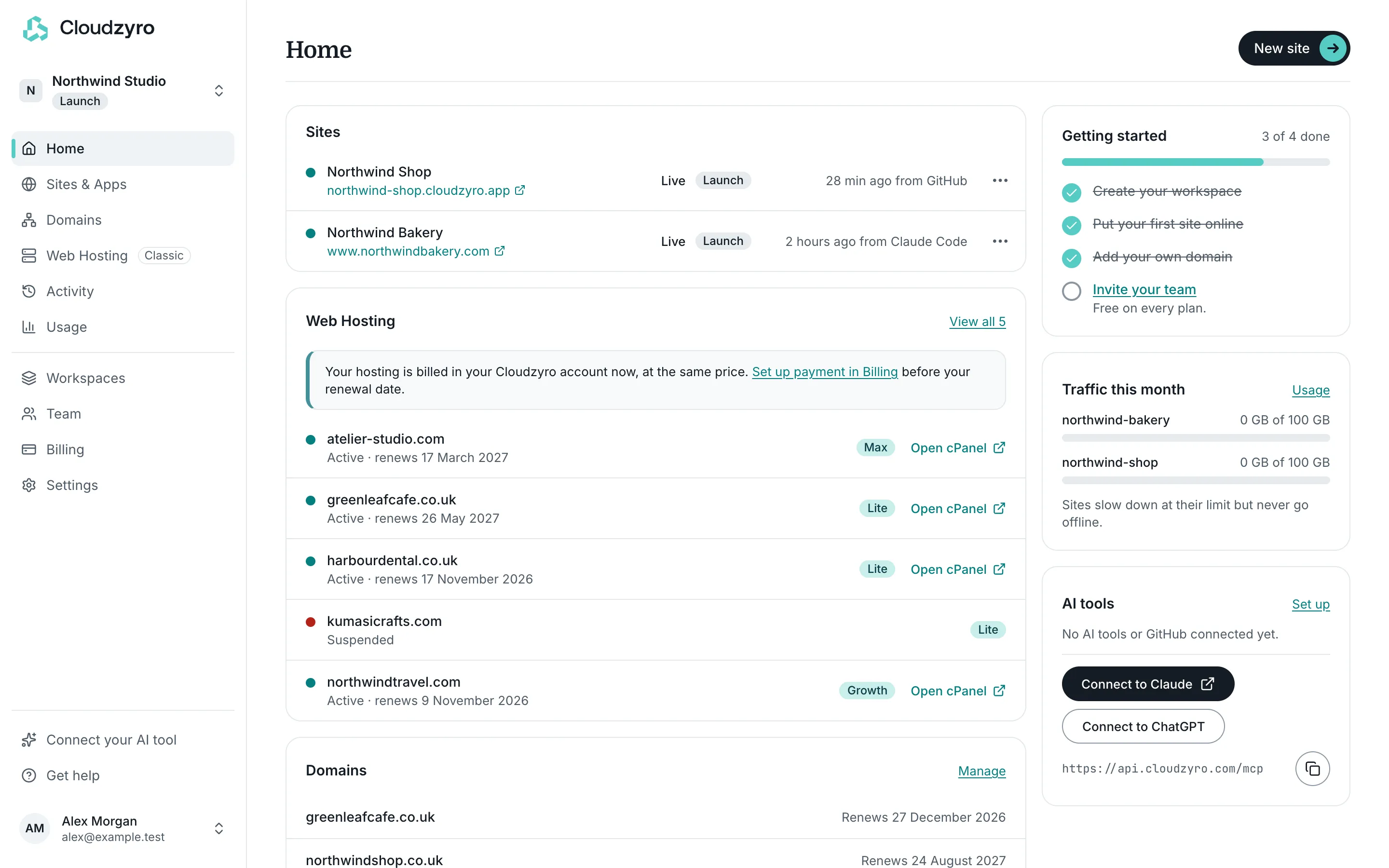
Section titled “The console”The console at https://console.cloudzyro.com is where you sign in and manage everything. The menu down the side has:
- Home, with what needs your attention and your recent activity.
- Sites & Apps, Domains and Web Hosting.
- Activity and Usage.
- Workspaces, Team, Billing and Settings.
- Connect your AI tool and Get help at the bottom, above your account menu.
You sign in with an email link, Google, GitHub, GitLab or Bitbucket. There’s no password to remember. See Sign up and sign in.
Workspaces
Section titled “Workspaces”Everything you have lives in a workspace: its sites, hosting, domains, team and billing. You get a personal workspace when you sign up, and you can create more, for example one per client, brand or project. Each workspace has its own team and pays for its own things.
People you invite to a workspace are free on every plan: there are no per-seat charges. See Workspaces and your team.
How it fits together
Section titled “How it fits together”A typical setup might look like this:
- A site built with your AI tool, live on Sites & Apps at
www.yourbusiness.com. - That domain bought in Domains and pointed at the site, with its email records added on the domain’s page.
- Or, if you’d rather have classic email inboxes and a WordPress blog, a Web Hosting plan using the same or another domain.
All of it is billed through one Billing page, with a tab for each product. Payments are handled by Paddle, our payment provider. See Billing and invoices.
Who it’s for
Section titled “Who it’s for”- People building with AI tools who want their site online in minutes, without learning about servers.
- Freelancers and agencies who look after several clients, each in their own workspace.
- Small businesses that need a website, email and a domain in one place.