

Billing and invoices
Each workspace pays for its own sites, Web Hosting and domains. Everything it pays for is on its Billing page, in the sidebar.
Who handles payments
Section titled “Who handles payments”Payments are handled by Paddle, our payment provider and merchant of record. That means Paddle takes the payment, works out and collects any tax, and sends your receipts.
The Billing tabs
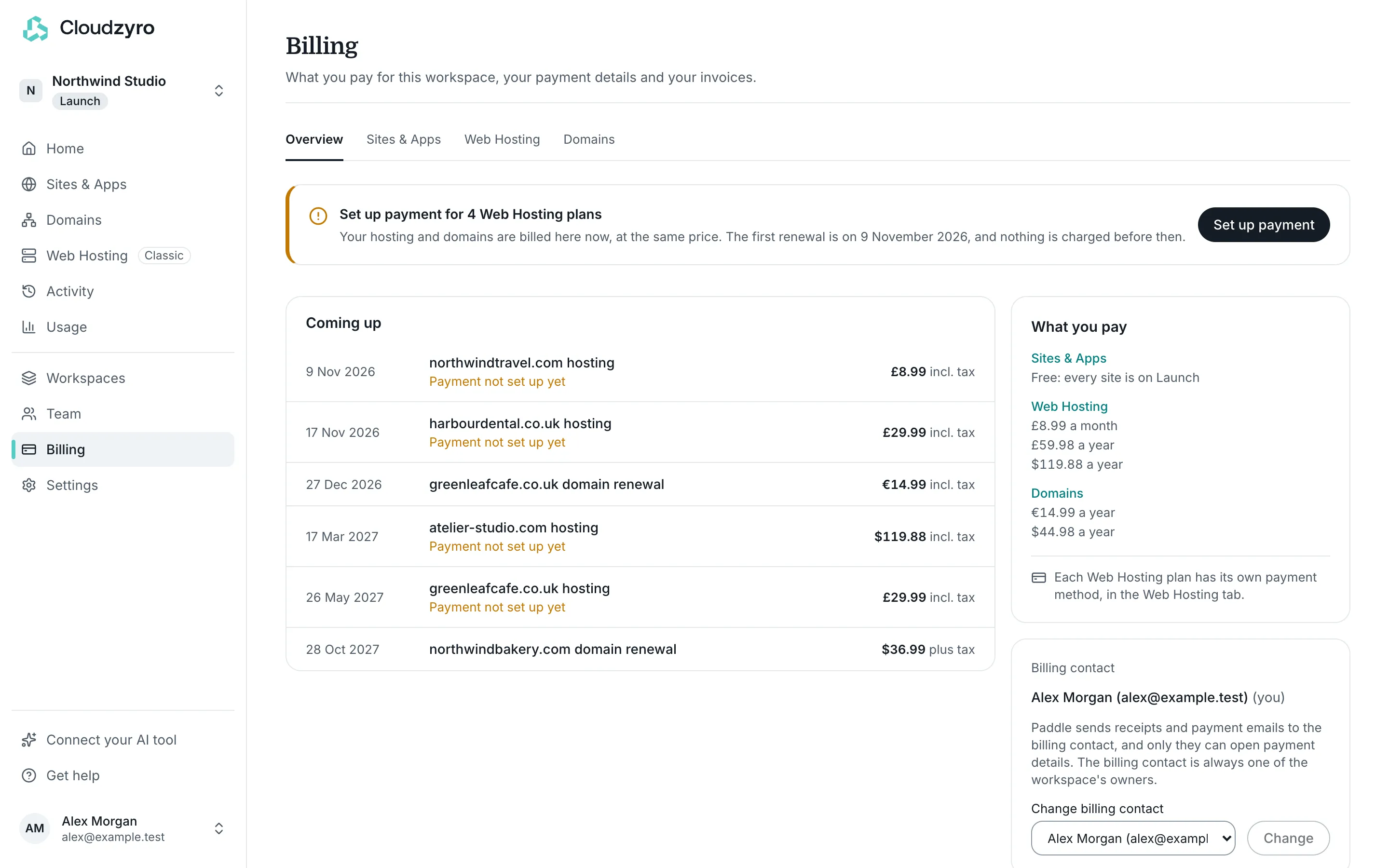
Section titled “The Billing tabs”- Overview: anything that needs your attention, every payment coming up across all products, what you pay for each product, the billing contact and your recent invoices.
- Sites & Apps: your next payment for Boost sites, the payment method, a plan comparison, each site’s plan and extras with its monthly cost, and invoices.
- Web Hosting: a card for each hosting plan, with its next payment, the renewal of any domain bought with it, its own payment method, cancelling, and its invoices. This tab only shows when the workspace has Web Hosting.
- Domains: each domain’s renewal date and price, whether auto-renew is on, and any WHOIS privacy renewal. This tab only shows when the workspace has domains.
Everyone in the workspace can see Billing. Invoices, and the buttons that change anything, are for owners and admins.
Download receipts and invoices
Section titled “Download receipts and invoices”Paddle emails a receipt to the billing contact after every payment. To download an invoice:
- Go to Billing. The Overview lists Recent invoices from every product, each labelled with what it’s for.
- For older invoices, open the product’s tab: Sites & Apps has an Invoices list, and each Web Hosting plan has its own Invoices section on the Web Hosting tab.
- Select Download PDF beside the invoice.
Update your card
Section titled “Update your card”Where you change the card depends on what it pays for:
- Sites & Apps (Boost): on the Sites & Apps tab, select Update payment method. This opens Paddle’s billing pages in a new tab. Only the billing contact can do this.
- Web Hosting: each hosting plan has its own payment method. On the Web Hosting tab, select Update payment method on that plan’s card.
- Domains: a domain renews with the card it was paid with, or with its Web Hosting’s payment method if it came with hosting. Where a domain or WHOIS privacy renewal has its own card, the Domains tab has Update card (or Update card for privacy) beside it.
If a payment doesn’t go through, the console shows a notice with Update payment method. For Sites & Apps, plans can’t change until the last payment goes through. For Web Hosting, your sites and email keep working while Paddle tries again; if it can’t be taken, the hosting is suspended. See Cancel a plan and get a refund for what happens then.
The billing contact
Section titled “The billing contact”One owner of each workspace is its billing contact. Paddle sends receipts and payment emails to the billing contact, and only they can open the payment details for Sites & Apps. The billing contact is always one of the workspace’s owners.
To change it, an owner goes to Billing, Overview:
- Make me the billing contact makes you the contact.
- Change billing contact lets you pick another owner, then select Change.
Moving billing to the new contact takes about a minute in Paddle, and the saved payment method stays as it is. If the billing contact stops being an owner, it moves to another owner automatically.
Currencies
Section titled “Currencies”- Sites & Apps prices are in US dollars, plus tax. Paddle may charge the equivalent in your local currency, and the Sites & Apps tab shows the amount it bills in, for example “Billed in GBP”.
- Web Hosting and domains bought in the console are priced in US dollars, plus tax, and charged in your local currency where Paddle supports it.
- Web Hosting moved from the old dashboard keeps its old price and currency, including tax.
The Overview never adds amounts in different currencies together: it lists each one separately.
Paddle adds tax, such as VAT, based on where you are. Prices for Boost, new Web Hosting, domains and WHOIS privacy are listed plus tax; the amounts Billing shows for Web Hosting and domains are totals that already include it. Each payment on the Overview says whether it’s plus tax or incl. tax. Before you confirm anything, the console or Paddle’s checkout shows the tax and the total.
Questions about a charge
Section titled “Questions about a charge”Email support@cloudzyro.com with the invoice number, or use Get help in the console. See Get help.