

Get started with Web Hosting
Web Hosting is classic cPanel hosting for websites and email, with one-click apps like WordPress. This page covers the plans, buying hosting, and finding your way around it in the console.
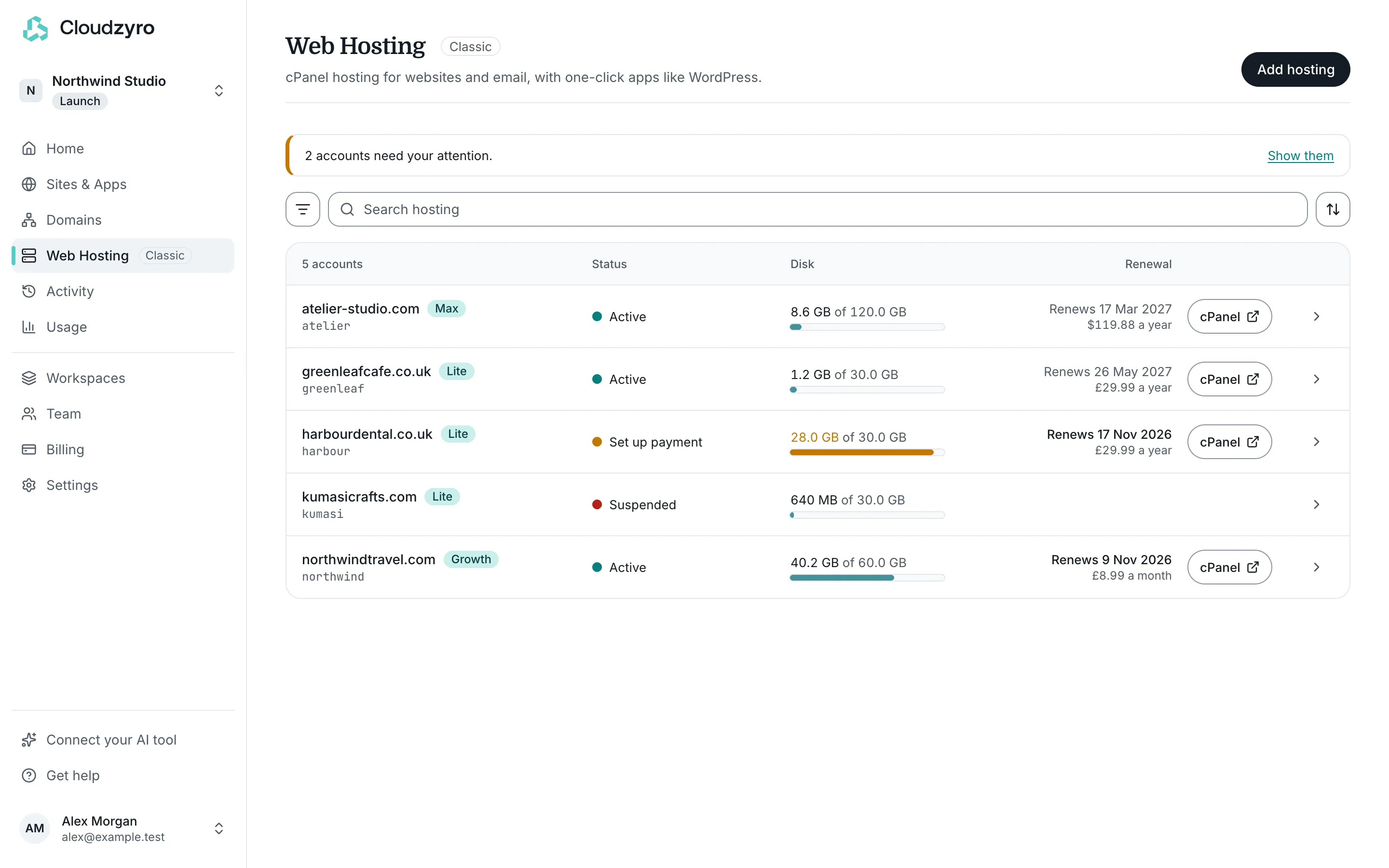
If you’re building a site with an AI tool, Sites & Apps is usually the better fit. Web Hosting suits WordPress, PHP sites and anyone who wants cPanel and email in one place.
Plans and prices
Section titled “Plans and prices”Every plan includes cPanel, with File Manager, email and databases. We’ll also move your existing websites for free.
| Plan | Monthly | Yearly | What’s included |
|---|---|---|---|
| Lite, for personal and small business websites | $6.99 a month | $39.99 a year | Up to 30 websites, 30 GB NVMe storage, 30 email accounts |
| Growth, for start-ups and busier websites | $12.99 a month | $59.88 a year | Up to 60 websites, 60 GB NVMe storage, 60 email accounts |
| Max, for online shops and larger websites | $24.99 a month | $119.88 a year | Up to 250 websites, 120 GB NVMe storage, unlimited email accounts, advanced WordPress speed-ups |
Prices are in US dollars, plus tax. Paddle, our payment provider, charges the equivalent in your local currency, and the cart shows exactly what you’ll pay before you pay it.
Yearly plans include the first year of a new domain free when it’s a .com, .co.uk, .uk, .net or .org (not .io).
Buy hosting
Section titled “Buy hosting”-
Go to the cart at https://console.cloudzyro.com/cart/hosting.
-
Under Choose your plan, pick Lite, Growth or Max.
-
Under How often to pay, choose Yearly or Monthly.
-
Under Choose a domain name for your hosting package, either:
- choose Find a new domain, search for a name and click Add (or Add free on a yearly plan), or
- choose I already have one, type your domain and click Use this domain. It stays registered where it is.
-
Check the Order summary. If you have a coupon, click Have a coupon code?, enter it and click Apply.
-
Click Continue, then sign in or create your account. Your hosting goes into the account you sign in to.
-
Pay in the secure checkout. Paddle emails your receipt.
Once you’ve paid, the console takes you to Web Hosting, where your new account shows as Setting up. It’s usually ready within a few minutes.
If you chose a new domain and we don’t have the owner’s details yet, the account’s page asks for them: the domain registry needs the owner’s name and address. If you used a domain you already own, the account’s page shows how to point it at your hosting. See Point a domain at your Web Hosting.
The Web Hosting list
Section titled “The Web Hosting list”Open Web Hosting in the console to see every hosting account in your workspace. Each row shows the domain, plan, status, disk use and renewal date. Active accounts have a cPanel button that signs you straight in.
With more than one account, you can search, filter (for example Needs attention or Renewing in 30 days) and sort by name, renewal date or disk use. To buy another plan, click Add hosting.
An account’s page
Section titled “An account’s page”Click an account in the list to open its page. It shows:
- Disk and Bandwidth this month, with how much of your plan you’ve used. Disk covers website files, email and databases. When it’s nearly full, delete old files, backups or email, or move to a bigger plan.
- Plan, with its renewal date and price, and a link to Billing and invoices.
- Open cPanel, and Go straight to shortcuts for File Manager, Email accounts and phpMyAdmin. See Use cPanel.
- Email settings for setting up mail apps. See Set up email.
- Account and DNS: your cPanel username, nameservers and server address, and Change password.
30-day money-back guarantee
Section titled “30-day money-back guarantee”Hosting comes with a 30-day money-back guarantee. Domain registrations aren’t refundable.
To use it, an owner or admin of the workspace opens Billing, then the Web Hosting tab, and clicks Cancel and get a refund on the hosting plan. We refund what you paid for the hosting and cancel it straight away, so its sites and email stop at once. A domain bought with it isn’t part of the refund: it stays yours until it expires, and won’t renew. The website files are kept for 2 days in case you need a copy, then deleted.
After 30 days, Cancel hosting in the same place stops the hosting at the end of the period you’ve paid for. See Cancelling and refunds.